
How to book seat reservation for Trenitalia Pass
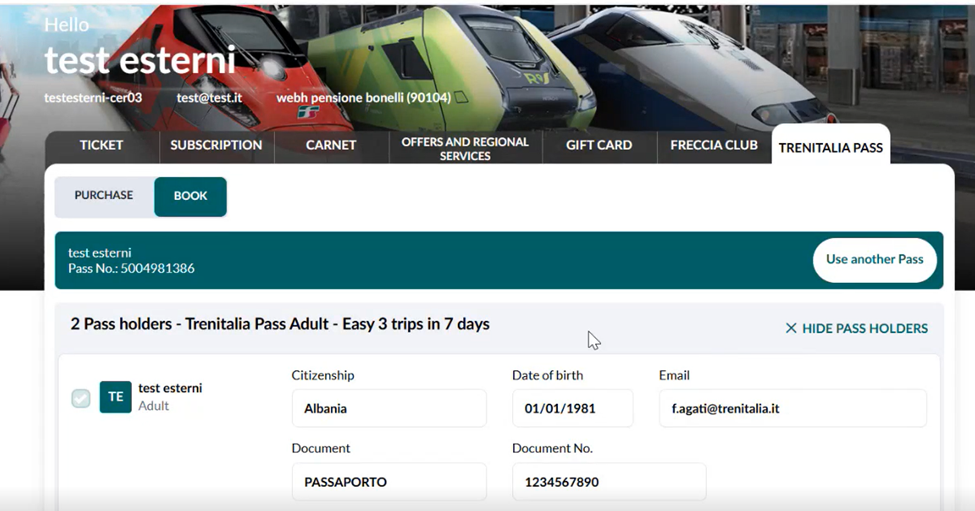
To reserve seats for your Trenitalia pass, please use the link provided in your confirmation email. The same link is also available on your booking confirmation page under the "Trip Summary" section.
- Click on the dropdown arrow highlighted in the image.

- On the right-hand side of the page, select "View Pass Conditions" to access and review all fare conditions associated with your booked pass.

- Click on the Trenitalia website link to proceed with seat reservations.
 "Book""Pass Number,"



Seat Reservation Exchange Policy
You can exchange your seat reservation up until the scheduled departure time of your journey. Exchanges are permitted multiple times within the pass validity period, which is determined by your first travel date. Please note that once the pass start date has been selected, it cannot be changed. All modifications—whether to a different train or a different seat on the same train—must be made within the validity period of the pass.
Can I postpone my trip to a later date?
Yes, you can postpone your trip to a later date, provided the new travel date falls within the validity period of your pass.
Please note that changing the travel date of your first trip does not extend or modify the overall validity period of the pass. The validity period remains fixed based on the original start date selected.