How to Activate your Britrail pass
Activating a BritRail Pass means starting its validity period so you can begin using it for train travel across the UK.
Refer to the below process:
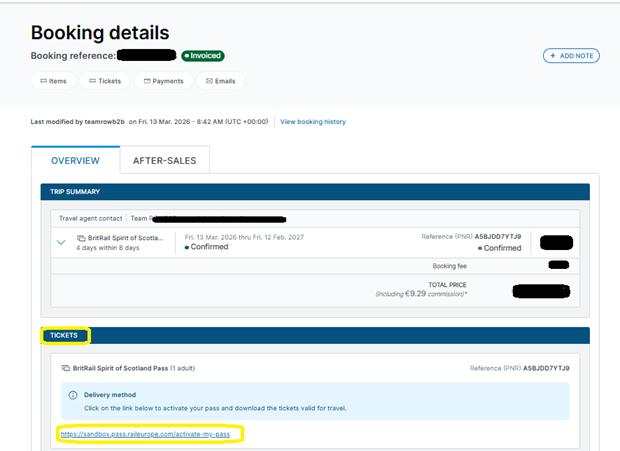
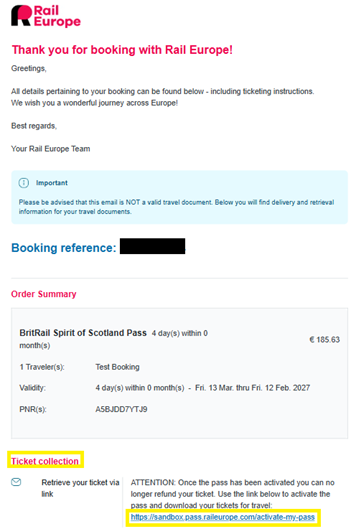
- On the booking details page, you will find the activation link under the Tickets tab. The same link is also available in your confirmation email under the Ticket Collection section.
- Once you click the link, you will be redirected to the activation page.
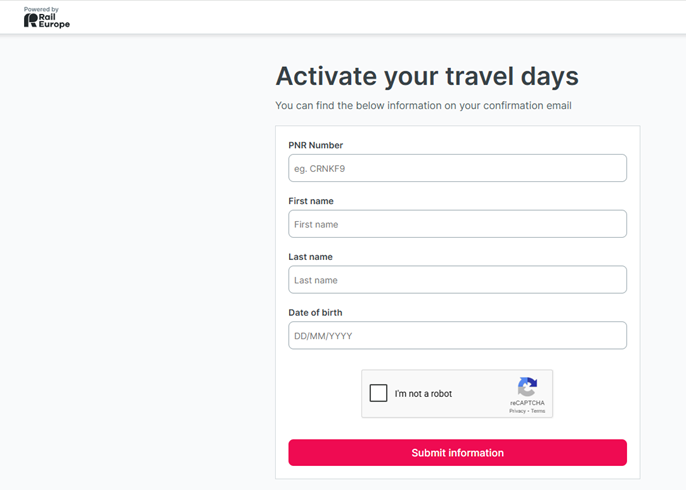
- Once you have entered your details on the activation page, select Submit Information to proceed.
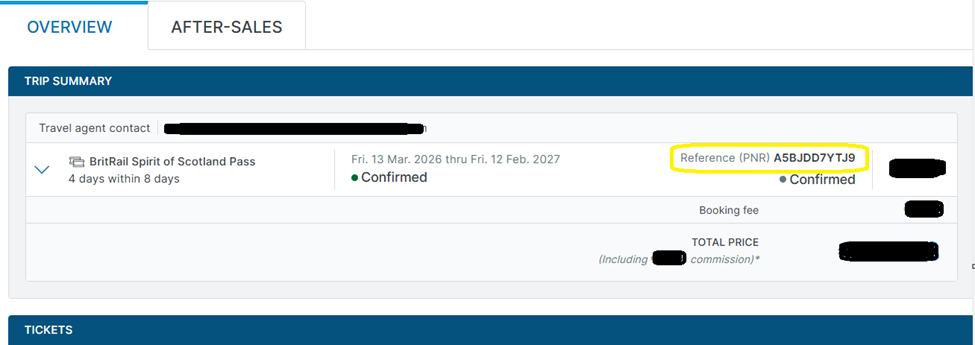
- To locate the PNR number, please check your Booking Details page under the Trip Summary section.
- After entering your details on the Activation page, click Submit Information. You will be redirected to the next page, where you can select the calendar to activate your travel days before boarding.
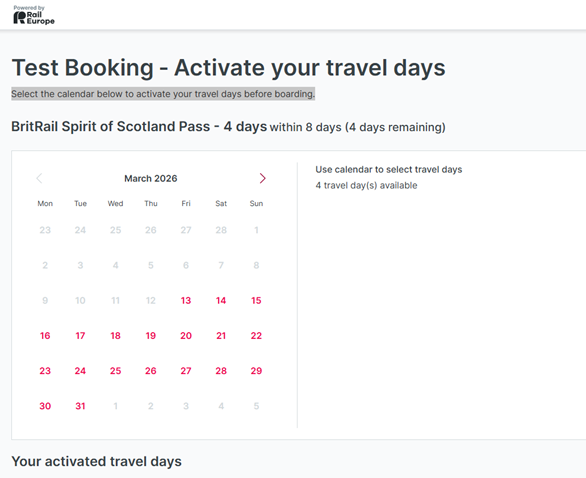
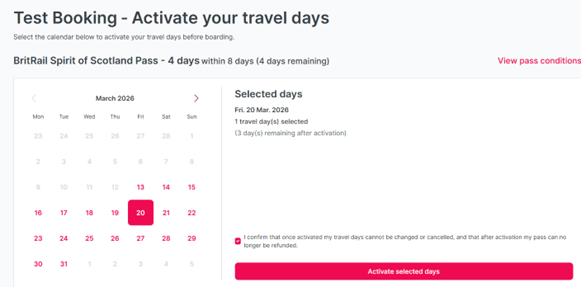
- Select the date on which you plan to travel.
- Note: Once the date is activated by clicking Activate Selected Days, it cannot be changed.
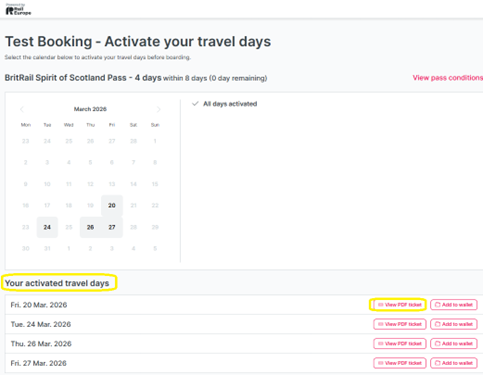
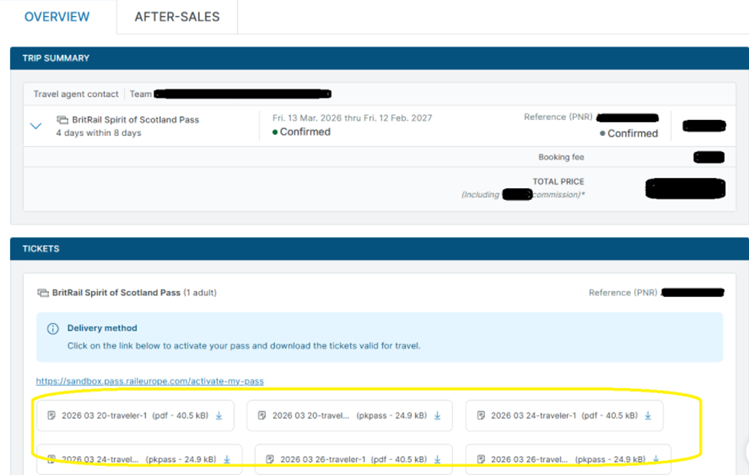
- Once your travel days are activated, the PDF ticket will be available on the Activation page under Activated Travel Days. You can also download it from the Booking Details page under the Tickets section.